fixtSE
FixtSEFixtSE
en Englishes Espanol
Blog
Membresia
Tienda
Scribe
Acerca de
en Englishes Espanol
Blog
Membresia
Tienda
Scribe
Acerca de

Youtube
Instagram
RSS
Github
Membresia
Privacidad
Fixt•
Publicado: Feb 4, 2025—5 min read

Usar DeepSeek R1 para controlar Home Assistant

Escrito por: Fixt

Si estas suscrito al canal
inicia sesion con tu cuenta de Google para acceder a la experiencia de tutorial inteligente.

Tabla de contenidos
Requisitos de hardwareGPUs recomendadasNvidia RTX 3060 12GBNvidia RTX 3050 8GBNvidia RTX 4060 Ti 16GBModelos DeepSeek R1DeepSeek R1 8B (Con soporte para herramientas)DeepSeek R1 8BIntegracionesIntegración de OllamaPlantilla de prompt de OllamaIntegración Local LLM ConversationInstalar integraciónConfiguraciónPlantilla de prompt de Local LLM ConversationConfigurar asistenteScript de música

Destacados

Relacionados

Etiquetas

Home-Assistant
Tutorial
IA
Integración
Windows
Asistente

Si te gusta mi trabajo, considera apoyarme en Ko-fi.

← Volver al blog

Etiquetas

Home-Assistant
Tutorial
IA
Integración
Windows
Asistente
← Volver al blog

Destacados

Relacionados

Etiquetas

Home-Assistant
Tutorial
IA
Integración
Windows
Asistente
Logo de DeekSeek

Requisitos de hardware
#

TipoRAM de GPURAM PRINCIPAL
GPU8 GB - 16 GB16 GB

GPUs recomendadas
#

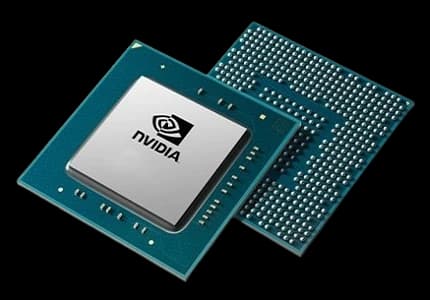
Chip Nvidia

Nvidia RTX 3060 12GB
#

  • Amazon

Nvidia RTX 3050 8GB
#

  • Amazon

Nvidia RTX 4060 Ti 16GB
#

  • Amazon

Modelos DeepSeek R1
#

DeepSeek R1 8B (Con soporte para herramientas)
#

ollama run MFDoom/deepseek-r1-tool-calling:8b

DeepSeek R1 8B
#

ollama run deepseek-r1:8b

Integraciones
#

Integración de Ollama
#

Open your Home Assistant and show de integration menu

Plantilla de prompt de Ollama
#

Open your Home Assistant instance and show an integration.

Integración Local LLM Conversation
#

Por acon96

Instalar integración
#

Open your Home Assistant instance and open a repository inside the Home Assistant Community Store.

Configuración
#

Open your Home Assistant and show de integration menu

Plantilla de prompt de Local LLM Conversation
#

Open your Home Assistant instance and show an integration.

Configurar asistente
#

Open your Home Assistant instance and show your voice assistants.

Script de música
#

Revisa el tutorial para el script de música aquí
YouTube Subscriber Access
PromptTemplate

YouTube Subscriber Benefit

This prompttemplate is free for all our YouTube subscribers!

Log in with your Google account to access it on our website.

Subscribe to our channel

💡 Validation Tip

If you have trouble with this feature, make sure your subscription list is public in your YouTube settings, under "Privacy".

YouTube Subscriber Access
PromptTemplate

YouTube Subscriber Benefit

This prompttemplate is free for all our YouTube subscribers!

Log in with your Google account to access it on our website.

Subscribe to our channel

💡 Validation Tip

If you have trouble with this feature, make sure your subscription list is public in your YouTube settings, under "Privacy".