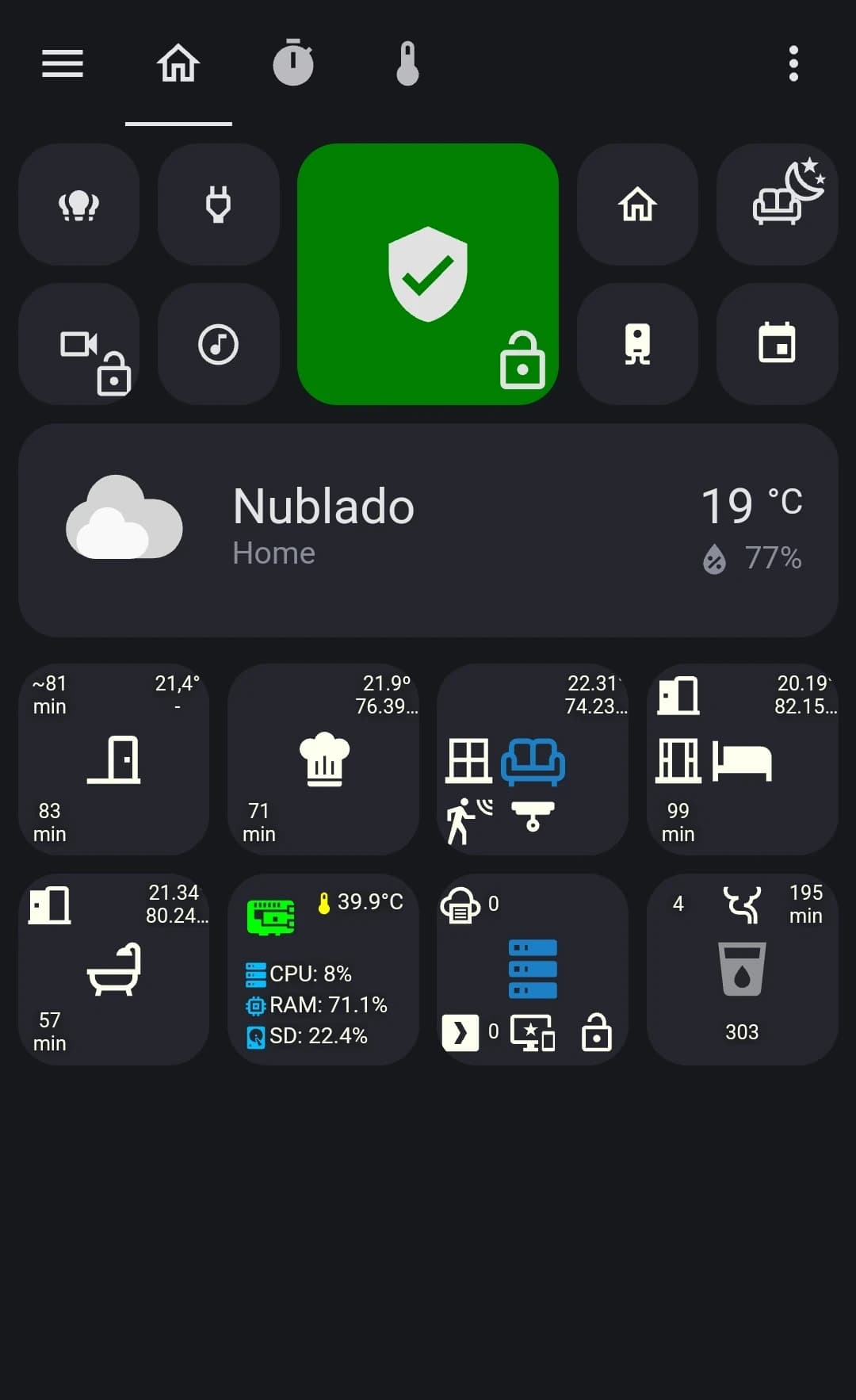
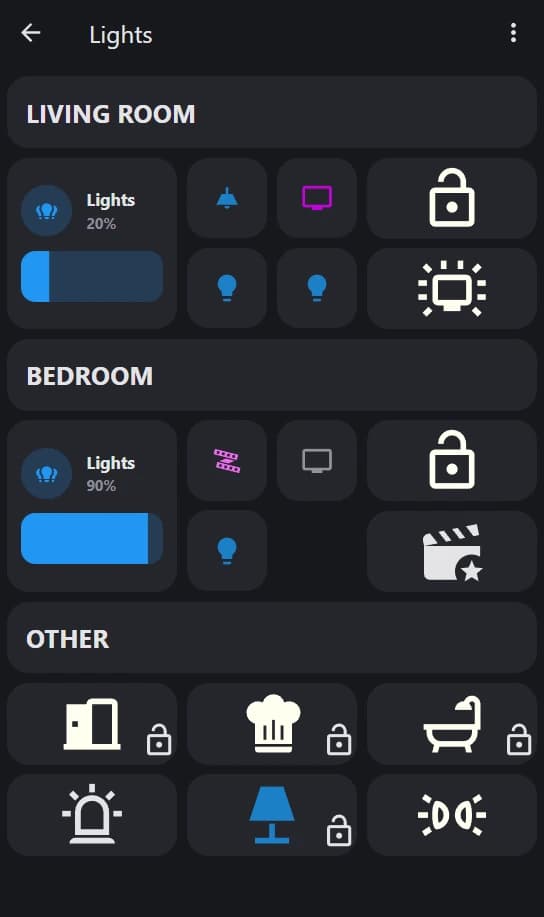
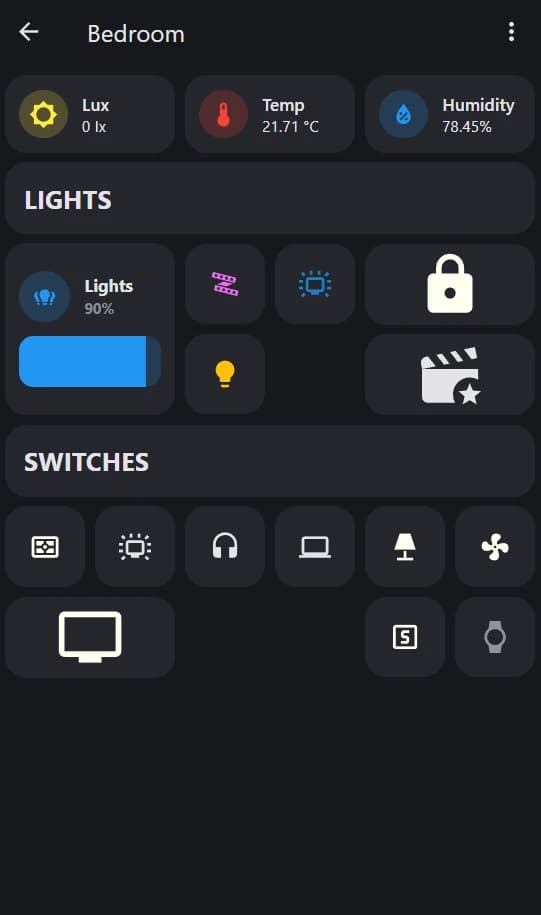
Requisitos previos#
Graphite Theme#
Por Tilman Griesel

Button Card#
Por Rom Rider
Mushroom Card (Opcional)#
Por Paul Bottein
Timer Bar Card (Opcional)#
Por rianadon
Configurar automatización del tema#
config/automations.yaml
alias: Set Theme
description: ""
trigger:
  - platform: homeassistant
    event: start
condition: []
action:
  - service: frontend.set_theme
    data:
      name: Graphite
mode: single
Plantillas de Button Card#
Templates
button_card_templates:
  color:
    state:
      - value: 'on'
        color: rgb(28, 128, 199)
      - value: 'off'
        color: ivory
      - operator: default
        color: var(--disabled-text-color)
  bypass:
    template: color
    styles:
      grid:
        - position: relative
      custom_fields:
        bypass:
          - position: absolute
          - right: 0%
          - bottom:
Plantilla de Button Card de color#
Color Button Card
type: custom:button-card
aspect_ratio: 1/1
template: color
entity: light.all_lights
show_name: false
icon: mdi:lightbulb-group
tap_action:
  action: navigate
  navigation_path: lights
hold_action:
  action: more-info
Script Color Button Card
type: custom:button-card
aspect_ratio: 1/1
template: color
tap_action:
  action: call-service
  service: script.turn_on
  service_data:
    entity_id: script.livingroom_sleep
  confirmation:
    text: '[[[ return `Do you want to toggle the LivingRoom Sleep Script?` ]]]'
hold_action:
  action: call-service
  service: script.turn_on
  service_data:
    entity_id: script.bedroom_sleep
  confirmation:
    text: '[[[ return `Do you want to toggle the Bedroom Sleep Script?` ]]]'
show_name: false
icon: mdi:sofa-outline
Light Color Button Card
type: custom:button-card
aspect_ratio: 1/1
color: auto
tap_action:
  action: toggle
hold_action:
  action: more-info
entity: light.bedroom_led_strip
show_name: false
show_state: false
icon: mdi:led-strip-variant
Vertical Color Button Card
type: custom:button-card
aspect_ratio: 2/0.95
template: color
tap_action:
  action: call-service
  service: script.turn_on
  service_data:
    entity_id: script.ambient_light
entity: switch.bt_plug
icon: mdi:movie-open-star
show_name: false
Ejemplo de plantilla de tarjeta de seguridad#

Security Card Template
type: custom:button-card
aspect_ratio: 1/1
color_type: card
tap_action:
  action: call-service
  service: input_boolean.toggle
  service_data:
    entity_id: input_boolean.segurity
entity: input_boolean.intruder_alert
show_name: false
hold_action:
  action: call-service
  service: input_boolean.turn_off
  service_data:
    entity_id: input_boolean.intruder_alert
state:
  - value: 'on'
    color: red
    icon: mdi:alert
    styles:
Ejemplo de Timer Bar Card#
Timer Bar Card
type: custom:timer-bar-card
entity: timer.livingroom_timer
mushroom:
  color: blue
Ejemplo de Area Button Card#
Area Button
type: custom:button-card
icon: mdi:bed-empty
show_name: false
show_state: false
entity: light.bedroom_lights
tap_action:
  action: navigate
  navigation_path: bedroom
hold_action:
  action: call-service
  service: script.turn_on
  service_data:
    entity_id: script.turnoff_bedroom
template: area
custom_fields:
  topLeft: |
    [[[
        if (states["input_boolean.bedroom_door"].state === 'off') return
        else return `<ha-icon
          icon="mdi:door-open"
          style="width: 23px; height: 23px;">
          </ha-icon>`
      ]]]
Plantilla de sensor de movimiento "hace minutos"#
Sensor Template
sensor:
  - platform: template
    sensors:
      ## One For Each Device
      livingroom_on:
        friendly_name: LivingRoom minutes ago
        value_template: "{{ ((as_timestamp(now()) - as_timestamp(states.binary_sensor.livingroom_motion_sensor.last_changed)) / 60) | round(0) }}"
Ejemplo de título en Markdown#
Title Card
type: markdown
content: '## LIVING ROOM'
Ejemplo de Mushroom Light Card#
Mushroom Card
type: custom:mushroom-light-card
entity: light.living_room_lights
fill_container: true
use_light_color: false
show_brightness_control: true
show_color_temp_control: false
show_color_control: false
collapsible_controls: true
icon_color: blue
name: Lights
Ejemplo de Bypass Button Card#
Bypass Example
type: custom:button-card
entity: light.lamp
icon: mdi:lamp-outline
show_name: false
tap_action:
  action: more-info
hold_action:
  action: call-service
  service: input_boolean.toggle
  service_data:
    entity_id: input_boolean.control_lamp
template: bypass
custom_fields:
  bypass: |
    [[[
        if (states["input_boolean.control_lamp"].state === 'on') return `<ha-icon
          icon="mdi:lock"
          style="width: 30px; height: 30px; color: red;">
          </ha-icon>`
        else return `<ha-icon
          icon="mdi:lock-open-outline"
          style="width: 30px; height: 30px;">
          </ha-icon>`