fixtSE
FixtSEFixtSE
en Englishes Espanol
Blog
Membresia
Tienda
Scribe
Acerca de
en Englishes Espanol
Blog
Membresia
Tienda
Scribe
Acerca de

Youtube
Instagram
RSS
Github
Membresia
Privacidad
Fixt•
Publicado: Oct 18, 2024—7 min read

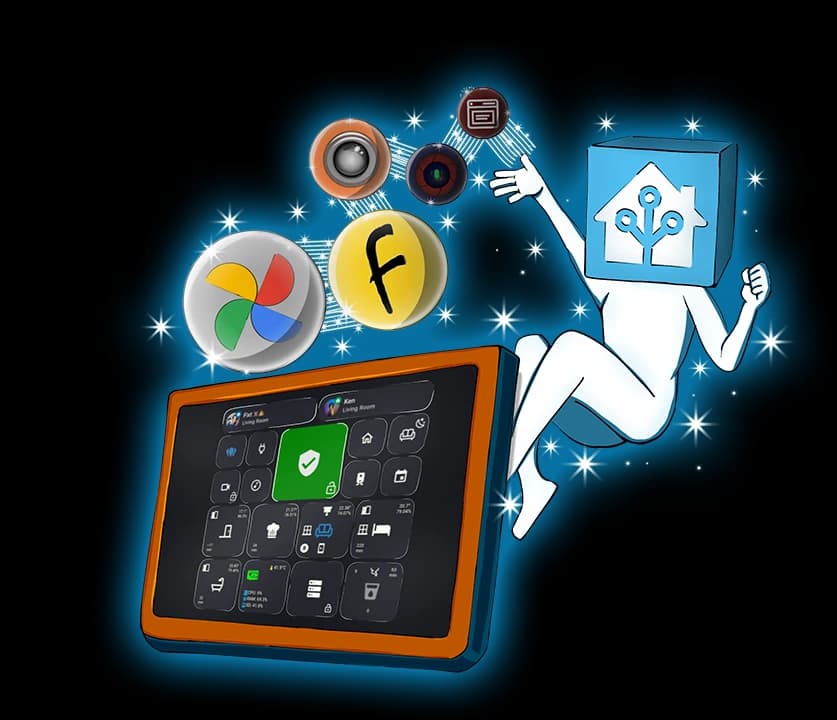
Convierte tu tablet en el hub definitivo para casa inteligente con Home Assistant

Escrito por: Fixt

Si estas suscrito al canal
inicia sesion con tu cuenta de Google para acceder a la experiencia de tutorial inteligente.

Tabla de contenidos
Selección de tabletIntegración de Google PhotosInstalar integraciónConfigurar la integración de Google PhotosUsarla en tu panelIntegración de Browser ModIntegración de Stream AssistFully Kiosk BrowserApp IP CameraIntegración de Android IP CameraUsar IP Camera en Stream AssistConfiguración de Fully KioskIntegración de Fully KioskFinalizar la configuración de Stream AssistArchivos multimediaAutomatizaciones

Destacados

Relacionados

Etiquetas

Home-Assistant
Tutorial
IA
Integración
Asistente-de-voz

Si te gusta mi trabajo, considera apoyarme en Ko-fi.

← Volver al blog

Etiquetas

Home-Assistant
Tutorial
IA
Integración
Asistente-de-voz
← Volver al blog

Destacados

Relacionados

Etiquetas

Home-Assistant
Tutorial
IA
Integración
Asistente-de-voz
Ultimate Smart Home Hub

Selección de tablet
#

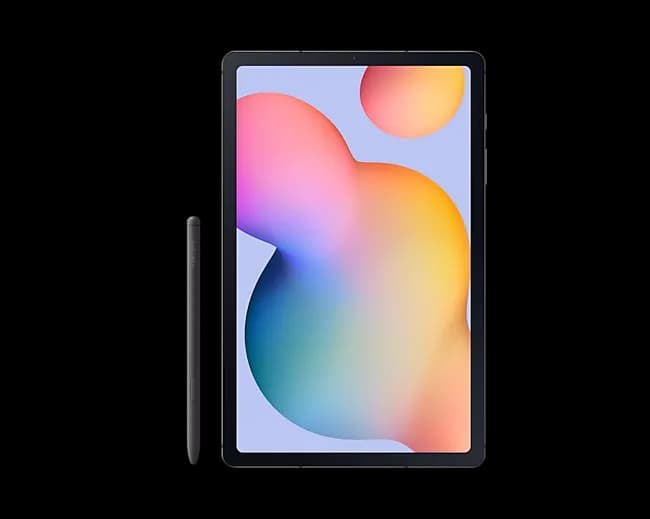
Galaxy Tab S6 Lite
Samsung Galaxy Tab S6 Lite
  • Amazon
Especificaciones
Tamaño de pantalla10.4"
Resolución2000 x 1200
RAM4GB
Usar los enlaces de afiliado anteriores ayuda a apoyar el canal y todo el contenido que creo 🎉🙌

Integración de Google Photos
#

Por Daanoz
Será obsoleta el 31 de marzo de 2025.

Instalar integración
#

Open your Home Assistant instance and open a repository inside the Home Assistant Community Store.

Configurar la integración de Google Photos
#

Open your Home Assistant and show de integration menu

Usarla en tu panel
#

Ejemplo de Picture Entity

show_state: true
show_name: false
camera_view: auto
type: picture-entity
entity: sensor.google_photos_favorites_creation_timestamp
camera_image: camera.google_photos_favorites_media
tap_action:
  action: call-service
  service: google_photos.next_media
  data:
    mode: Random
  target:
    entity_id:

Integración de Browser Mod
#

Por thomasloven
Instalar integración
Open your Home Assistant instance and open a repository inside the Home Assistant Community Store.
Configuración
Open your Home Assistant and show de integration menu

Integración de Stream Assist
#

Por AlexxIT
Open your Home Assistant instance and open a repository inside the Home Assistant Community Store.

Fully Kiosk Browser
#


App IP Camera
#


Integración de Android IP Camera
#

Open your Home Assistant and show de integration menu

Usar IP Camera en Stream Assist
#

URL de Stream

rtsp://YOUR_IP:8080/h264_pcm.sdp
Open your Home Assistant and show de integration menu

Configuración de Fully Kiosk
#

Configuración de contenido web:
  • Reproducir videos automáticamente: Activado
Zoom y escalado web:
  • Usar viewport amplio: Desactivado
  • Escala inicial: 150% (o según sea necesario)
  • Ver en modo escritorio: Activado
Configuración web avanzada:
  • Habilitar interfaz JavaScript (PLUS): Activado
Gestión del dispositivo:
  • Iniciar al arrancar: Activado
Configuración de energía:
  • Evitar suspensión con la pantalla apagada: Activado
Administración remota (PLUS):
  • Habilitar administración remota: Activado
  • Contraseña de administración remota: Tu contraseña
  • Habilitar Camshot en administración remota: Desactivado
Otras configuraciones:
  • Considerar el dispositivo en uso mientras se reproduce audio: Activado

Integración de Fully Kiosk
#

Open your Home Assistant and show de integration menu

Finalizar la configuración de Stream Assist
#

Open your Home Assistant instance and show an integration.

Archivos multimedia
#

  • Beep
  • Error
  • Animación

Automatizaciones
#

camera.google_photos_favorites_media
YouTube Subscriber Access
AUTOMATION

YouTube Subscriber Benefit

This automation is free for all our YouTube subscribers!

Log in with your Google account to access it on our website.

Subscribe to our channel

💡 Validation Tip

If you have trouble with this feature, make sure your subscription list is public in your YouTube settings, under "Privacy".

YouTube Subscriber Access
AUTOMATION

YouTube Subscriber Benefit

This automation is free for all our YouTube subscribers!

Log in with your Google account to access it on our website.

Subscribe to our channel

💡 Validation Tip

If you have trouble with this feature, make sure your subscription list is public in your YouTube settings, under "Privacy".

YouTube Subscriber Access
AUTOMATION

YouTube Subscriber Benefit

This automation is free for all our YouTube subscribers!

Log in with your Google account to access it on our website.

Subscribe to our channel

💡 Validation Tip

If you have trouble with this feature, make sure your subscription list is public in your YouTube settings, under "Privacy".

YouTube Subscriber Access
AUTOMATION

YouTube Subscriber Benefit

This automation is free for all our YouTube subscribers!

Log in with your Google account to access it on our website.

Subscribe to our channel

💡 Validation Tip

If you have trouble with this feature, make sure your subscription list is public in your YouTube settings, under "Privacy".

YouTube Subscriber Access
AUTOMATION

YouTube Subscriber Benefit

This automation is free for all our YouTube subscribers!

Log in with your Google account to access it on our website.

Subscribe to our channel

💡 Validation Tip

If you have trouble with this feature, make sure your subscription list is public in your YouTube settings, under "Privacy".